Hear every slide’s notes
Tingbo reads your speaker notes aloud and moves to the next slide when narration finishes.
Hear speaker notes. Rehearse before you present.
Listen to your own script, slide by slide. Catch awkward lines, edit your notes, and listen again before you present.
iPhone, iPad & Android · No account required
Watch the 45-second demo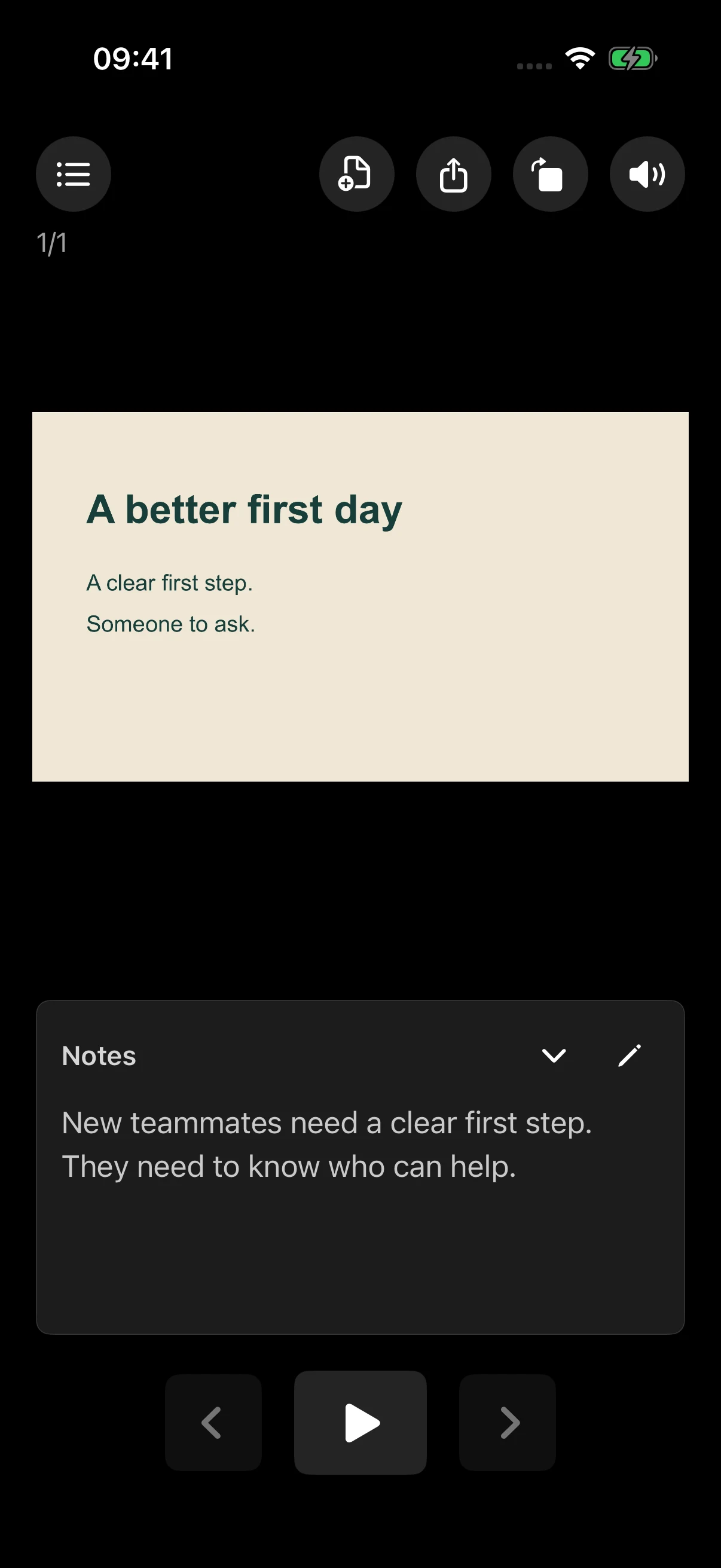
Tingbo · iOS
An actual iPhone walkthrough: open a deck, view its notes, and tap Play.
Get familiar with your words, not just your slides.
Tingbo reads your speaker notes aloud and moves to the next slide when narration finishes.
Open the current note, revise a line, save it, and listen again. Export your notes as Markdown.
Listen with the screen locked or through headphones. Playback pauses when headphones disconnect.
Choose a file from Files, or try the built-in sample. Check that each slide has speaker notes.
Hear the current slide’s notes. Follow along as Tingbo advances through the deck.
Edit awkward sentences and replay them. Listen through the whole deck before you present.
PPT, PPTX and Keynote. iOS 1.2+ renders presentations on your device, without uploading them for conversion.
PrivacyPPT and PPTX. Files needing conversion are uploaded through Cloudflare to CloudConvert. Voice processing depends on your Android speech engine.
PrivacyHarmonyOS supports PPTX. A public store link is not listed here yet. Privacy · 中文
Tingbo is a speaker-notes reader for presentation rehearsal. It reads the notes for each slide aloud while you follow the deck.
iOS 1.2 and later imports PPT, PPTX, and Keynote (.key) on the device. Android supports PPT and PPTX; for Keynote, export a PowerPoint copy in Keynote first.
Yes. Edit the current slide’s notes and save them for the next playback. You can export notes as Markdown or a PPTX copy when available.
Yes. Keep listening with the screen locked or through headphones. Playback pauses when headphones disconnect.
No. There is no registration or login. You can start with the built-in sample presentation.
It depends on the platform. iOS 1.2+ renders presentations on the device, with no cloud-conversion fallback. Some missing Keynote theme resources may be downloaded from iCloud. Android uploads files requiring conversion via Cloudflare to CloudConvert; voice processing depends on the selected speech engine. See the platform-specific privacy policies below.
A presenter finds his own words by listening and rehearsing. English audio · 1:16
Start with your own deck or the built-in sample.